
How To Use Alote Shar
WHAT IS IT?
Platform overview
BROWSE & APPLY
Jobs flow
USE DASHBOARDS
Role-based guide
What is Alote Shar?
How do registration and login work?
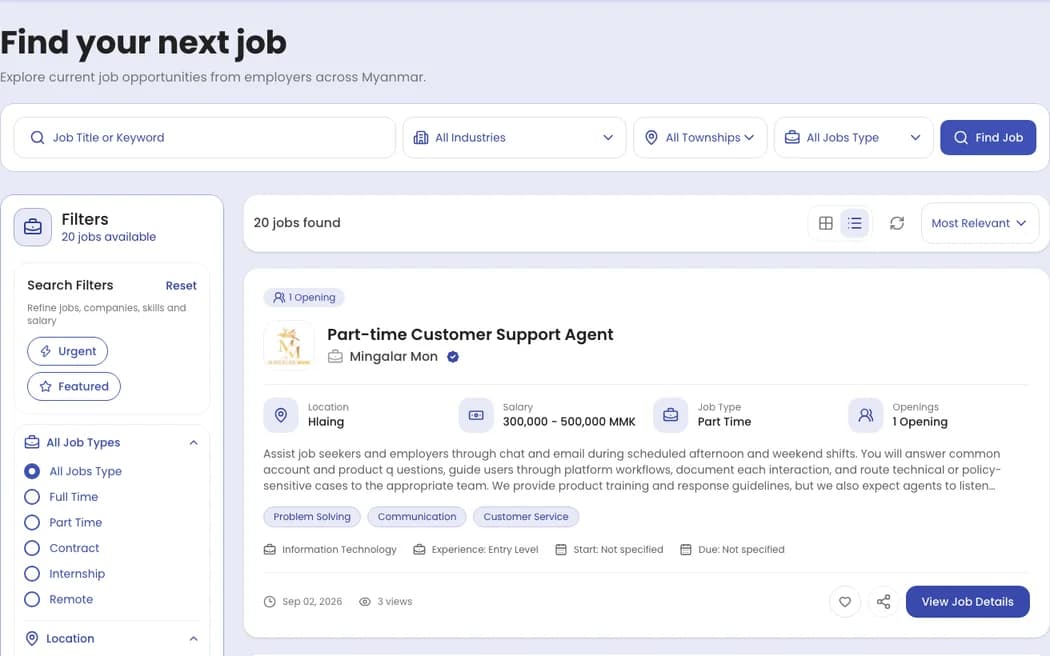
How to browse and apply for jobs
Go to the Jobs page, search by keyword or category, open the role you like, and continue into the application flow once the details feel right.
- Search by role, keyword, or location
- Open the job detail and review requirements
- Complete your profile or CV details and submit
Jobs list & apply flow screenshots
Screenshots from search, job details, and the apply entry
How to use the job seeker dashboard
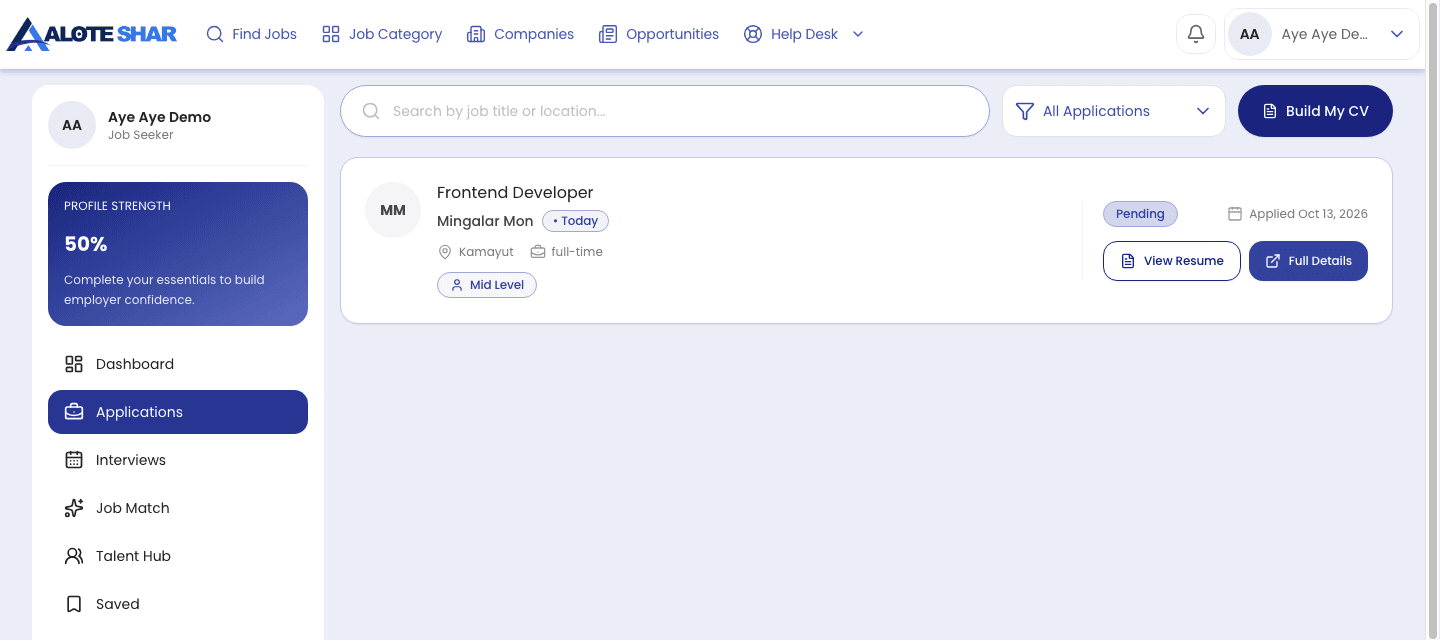
Keep every part of your search in one place, from applications and saved roles to the profile employers will see.
- Track applications and next steps
- Manage saved jobs and alerts
- Improve your profile and CV readiness
Job seeker dashboard screenshots
Website screenshots of applications, saved jobs, and your profile
How to use the employer dashboard
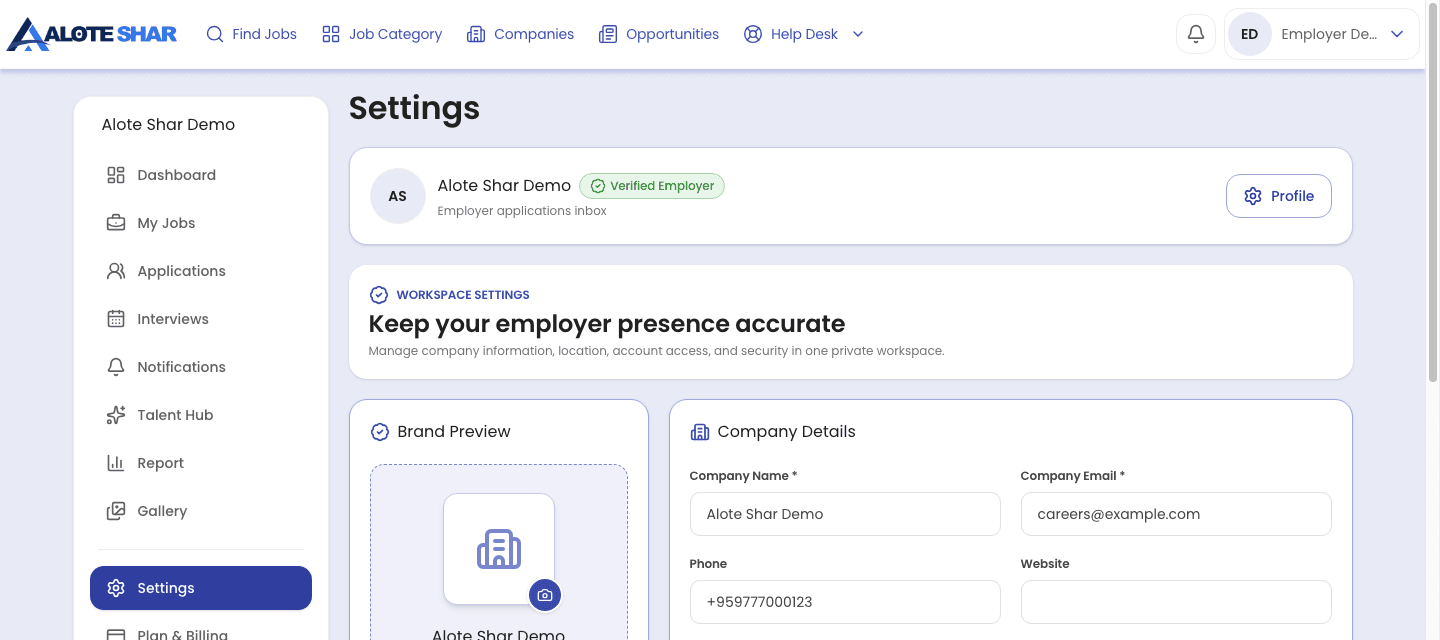
The employer dashboard is built for posting jobs, reviewing candidates, and keeping hiring activity organized without jumping between too many screens.
- Set up your company profile first
- Post jobs and review applicants
- Monitor hiring activity and follow-ups
Employer dashboard screenshots
Website screenshots of company settings, job posting, and candidates
- Clear guidance from search through application
- Useful tools for managing each hiring step
- An approachable platform for people and businesses
A better path on both sides
Alote Shar brings job seekers and employers into one more organized hiring journey, with clear information to help both sides move forward.
Platform overview
The purpose and principles behind Alote Shar.

Mission
Connect strong talent with clearer career opportunities in Myanmar.
Need the next step?
Use this page as the quick manual for now. Chat with Us can extend from this Help Desk entry with proper sign-in gating.